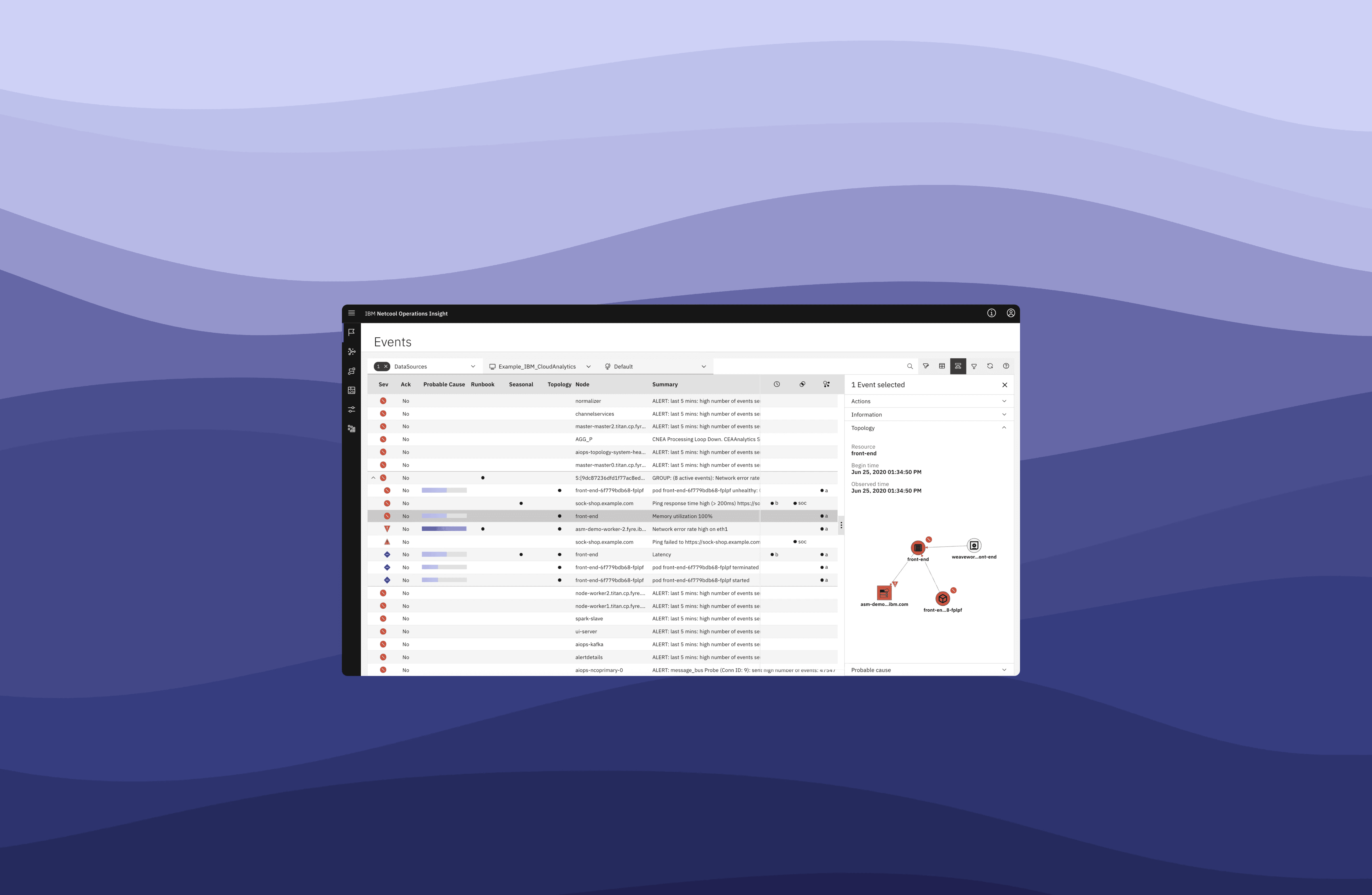
NOI @IBM, Cloud and AI
IBM AIOps. Reducing with ML operational complexity at enterprise scale
Industry
DevOps, ITOps
Target group
DevOps, IT operators
Client
IBM
Position
Senior UX designer
When companies rely on complex IT systems, things can go wrong, just like a car breaking down or a phone suddenly freezing. Large enterprises have IT operations (ITOps) teams responsible for keeping everything running, but they deal with massive amounts of data and alerts. Finding the root cause of an issue quickly is a major challenge.
What I did on the project
I contributed to this initiative as a senior designer: shaping experience strategy, aligning stakeholders around a shared vision, and ensuring design decisions translated into measurable operational impact across complex enterprise environments.
Problem
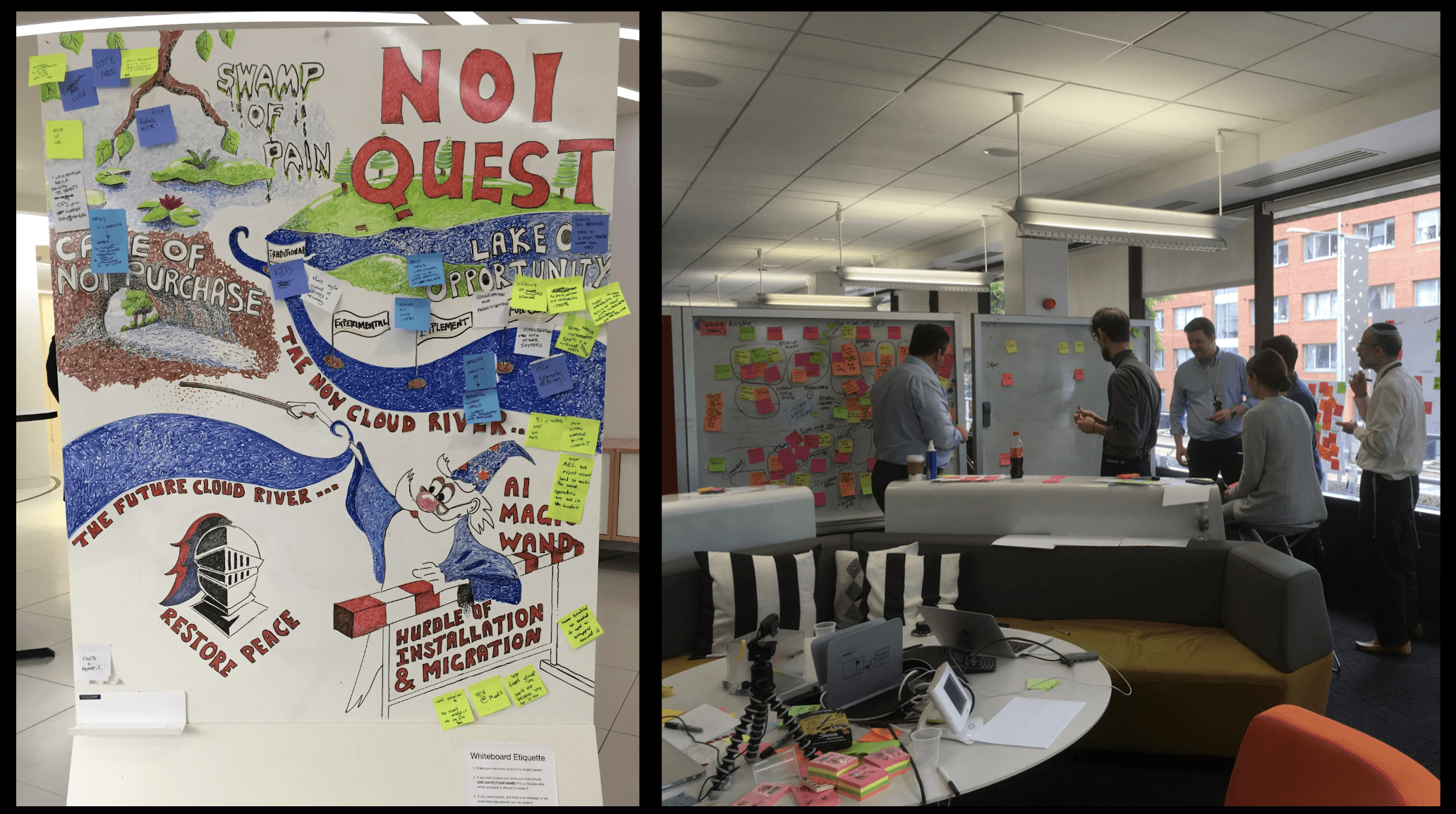
We kicked off the project by defining the key challenges IT operations teams faced. This was done through stakeholder workshops, user research, and data analysis. We identified core challenges:
01
Overwhelming volumes of alerts with limited prioritization
02
Manual and fragmented troubleshooting workflows
03
Lack of clear system intelligence to guide operator decisions
The broader design problem was not just improving screens, but redefining how operators understand, trust, and act on AI‑driven insights.
User research
Design goals
We aligned on the following experience principles:
01
Reduce cognitive overload while preserving access to deep system detail
02
Surface actionable insights instead of raw data
03
Reduce cognitive overload while preserving access to deep system detail
04
Design a scalable interaction model adaptable to ML capabilities
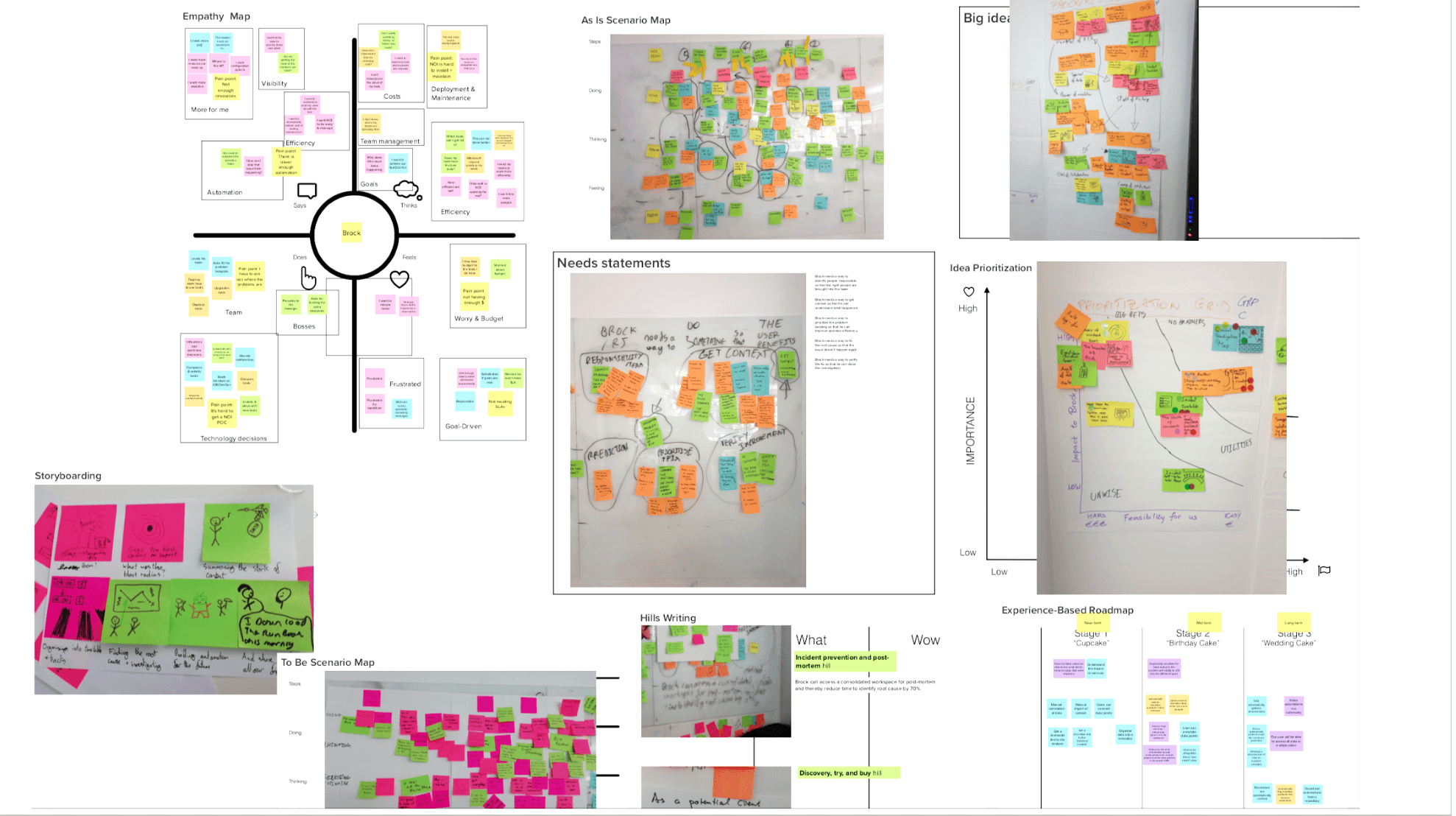
User research
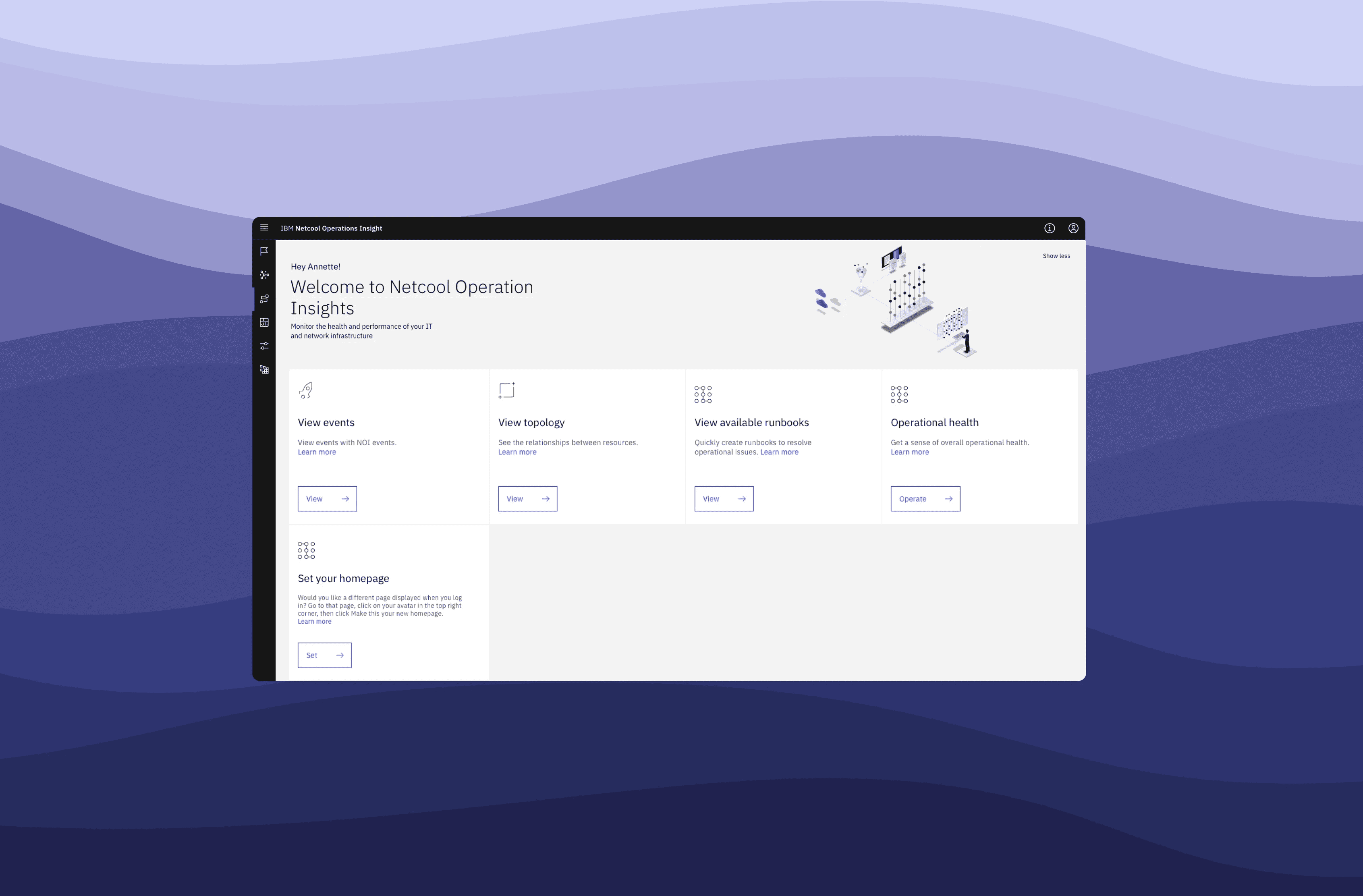
ITOps goals of NOI
01
Diagnose, troubleshot and resolve issues as fast as they can.
02
See analytics policies that are AI generated and create triggers to groups and priorities events.
03
Define a runbook for a resolution in a easy way.
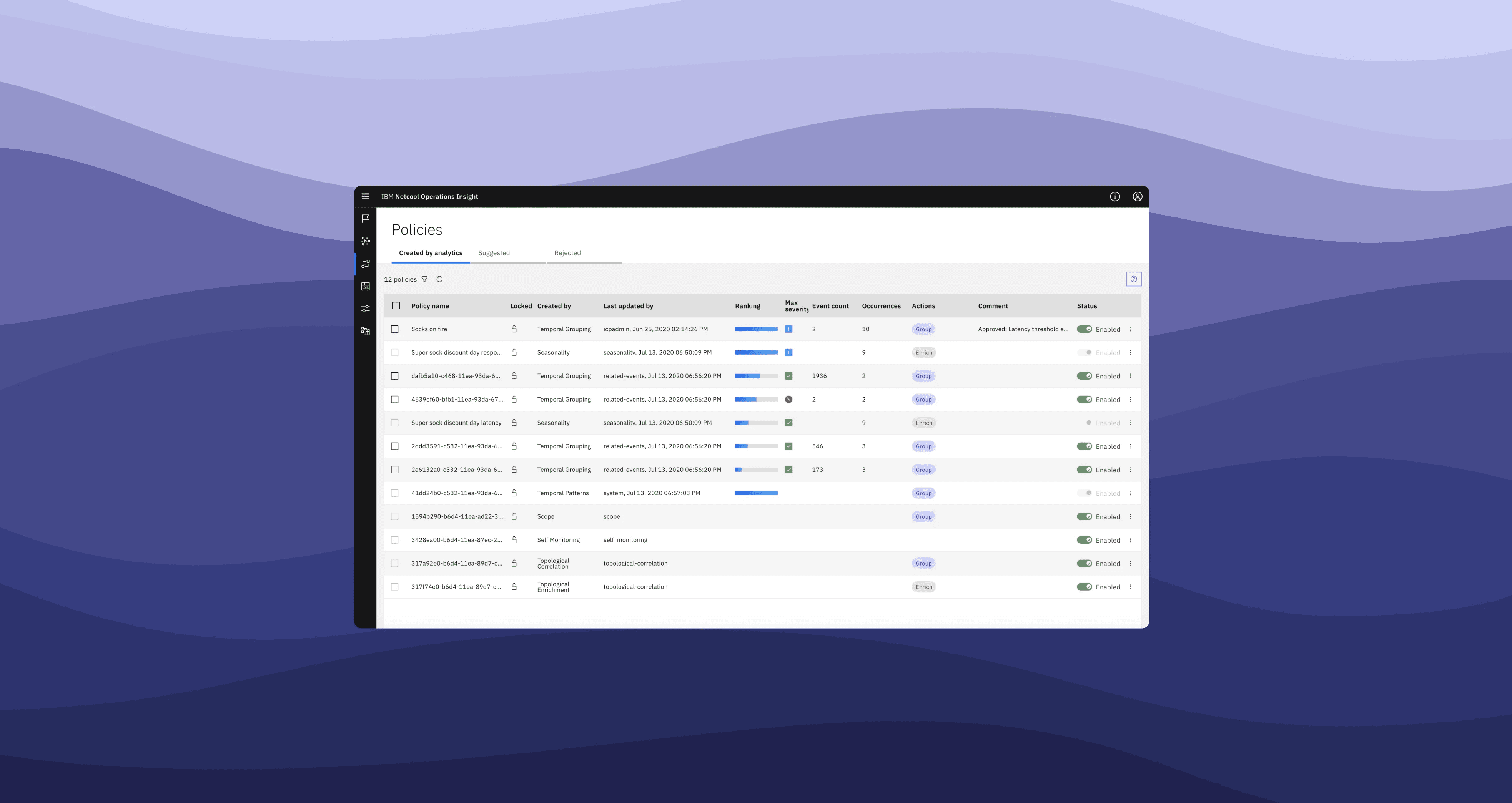
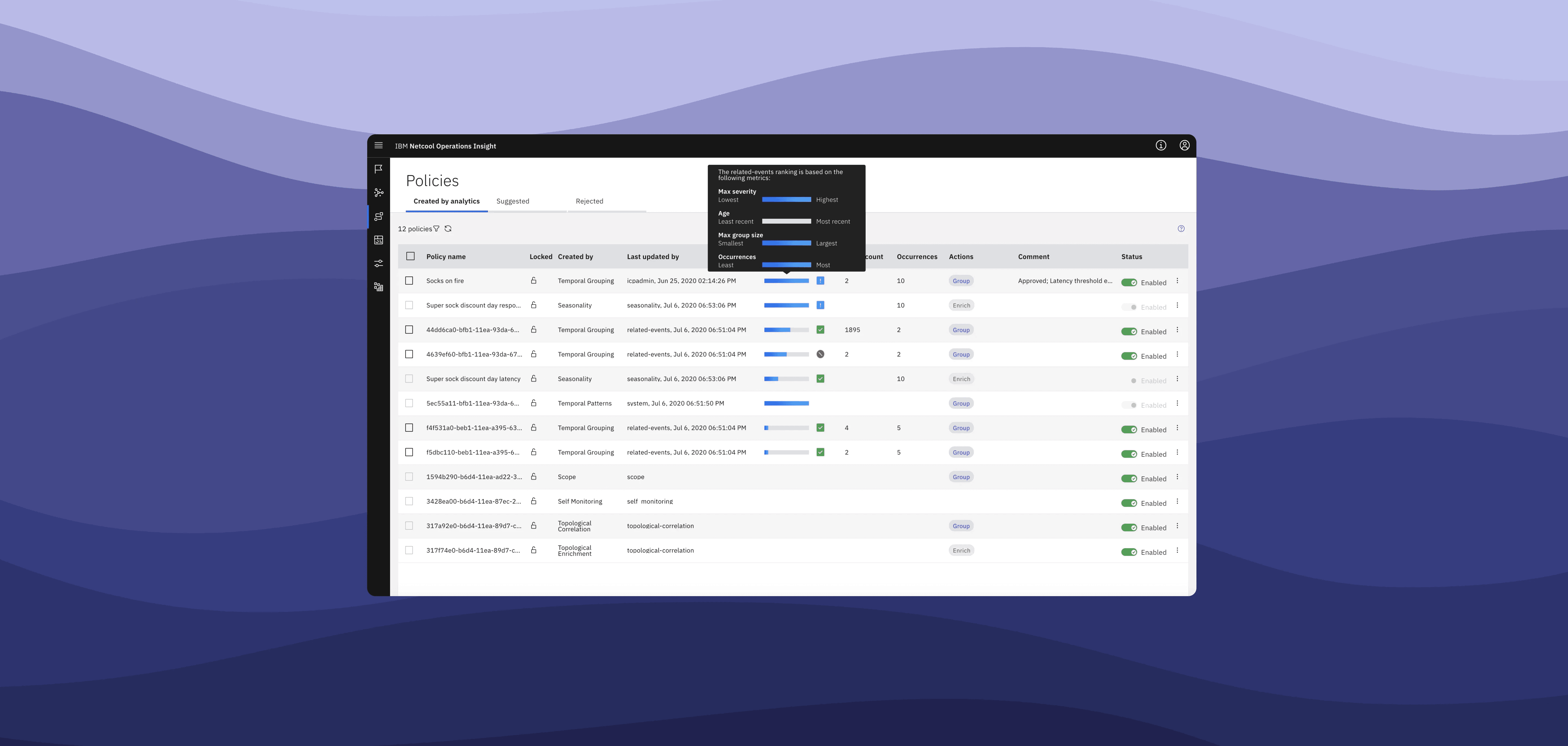
The solution: a smarter IT operations platform
Automation & AI-powered insights
Problem solved: reduces manual intervention by enabling AI-driven detection and prioritization of incidents.
🔹 Automates issue detection, reducing false alarms.
🔹 Uses AI to correlate alerts and highlight critical incidents faster.
🔹 Helps teams focus on real problems rather than sifting through thousands of notifications.
Faster troubleshooting with historical data
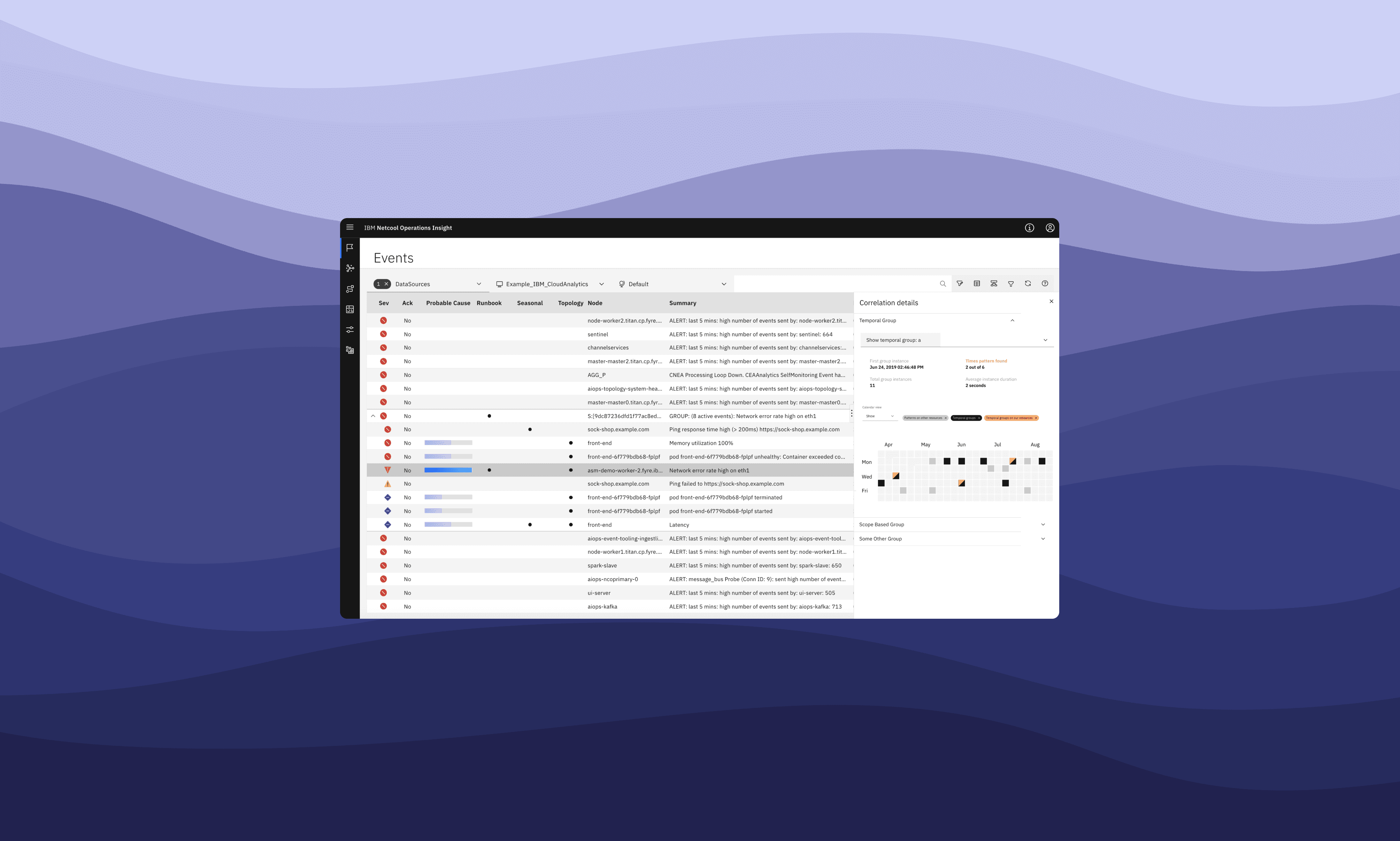
Problem solved: helps teams quickly find the root cause of an issue.
🔹 Provides historical system performance data to identify patterns.
🔹 Displays AI-generated insights for faster resolution.
🔹 Reduces downtime by improving incident detection speed.
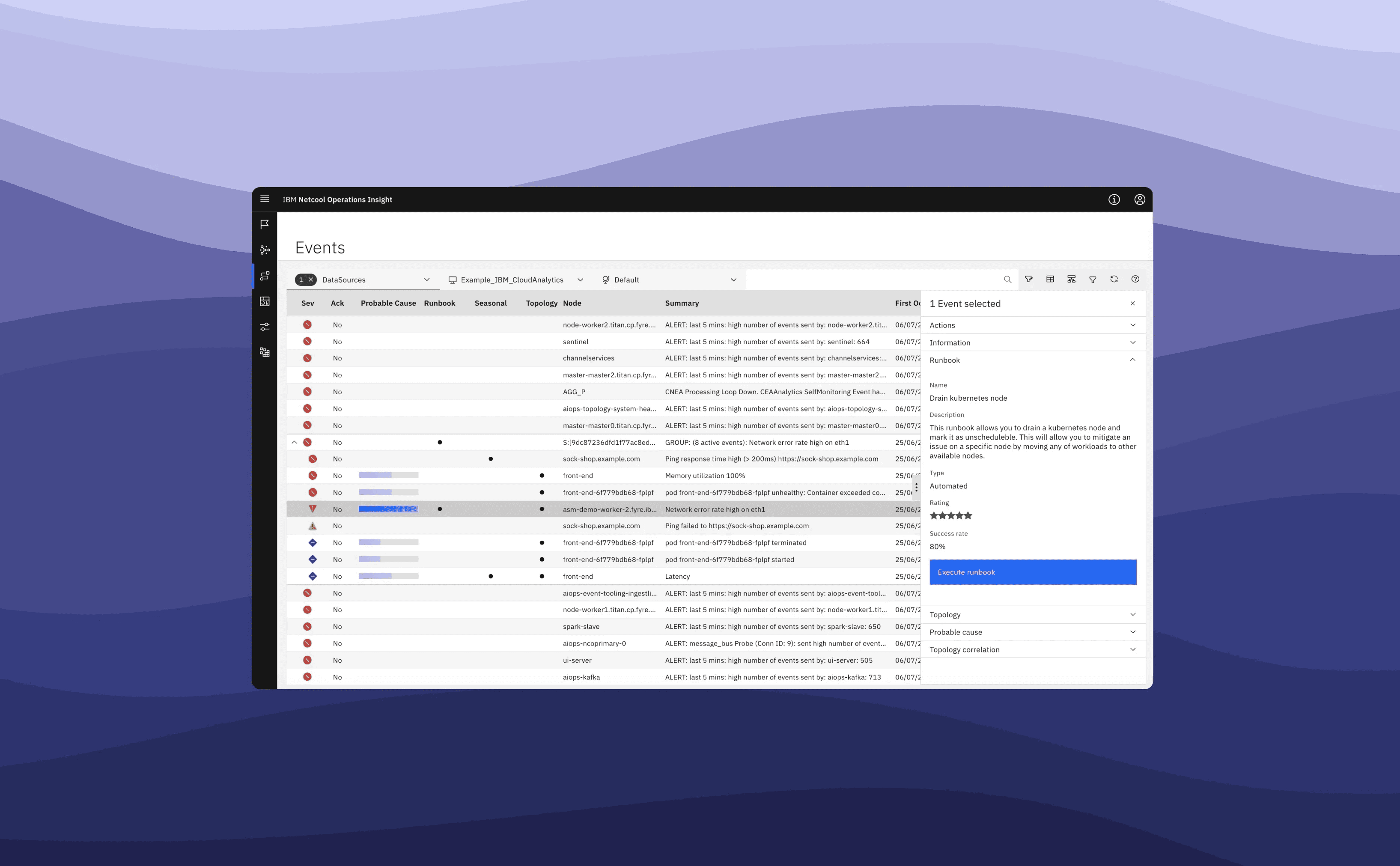
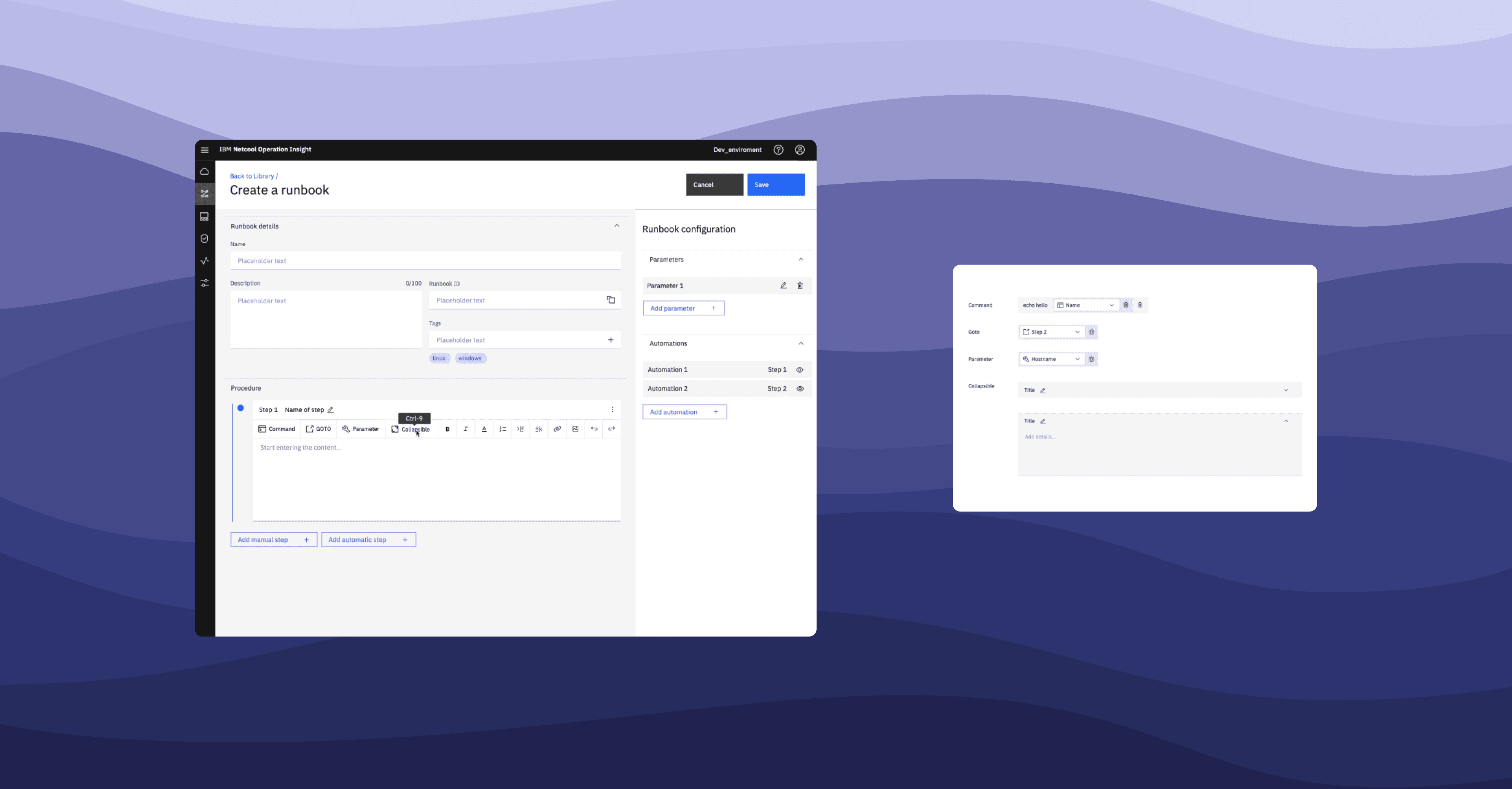
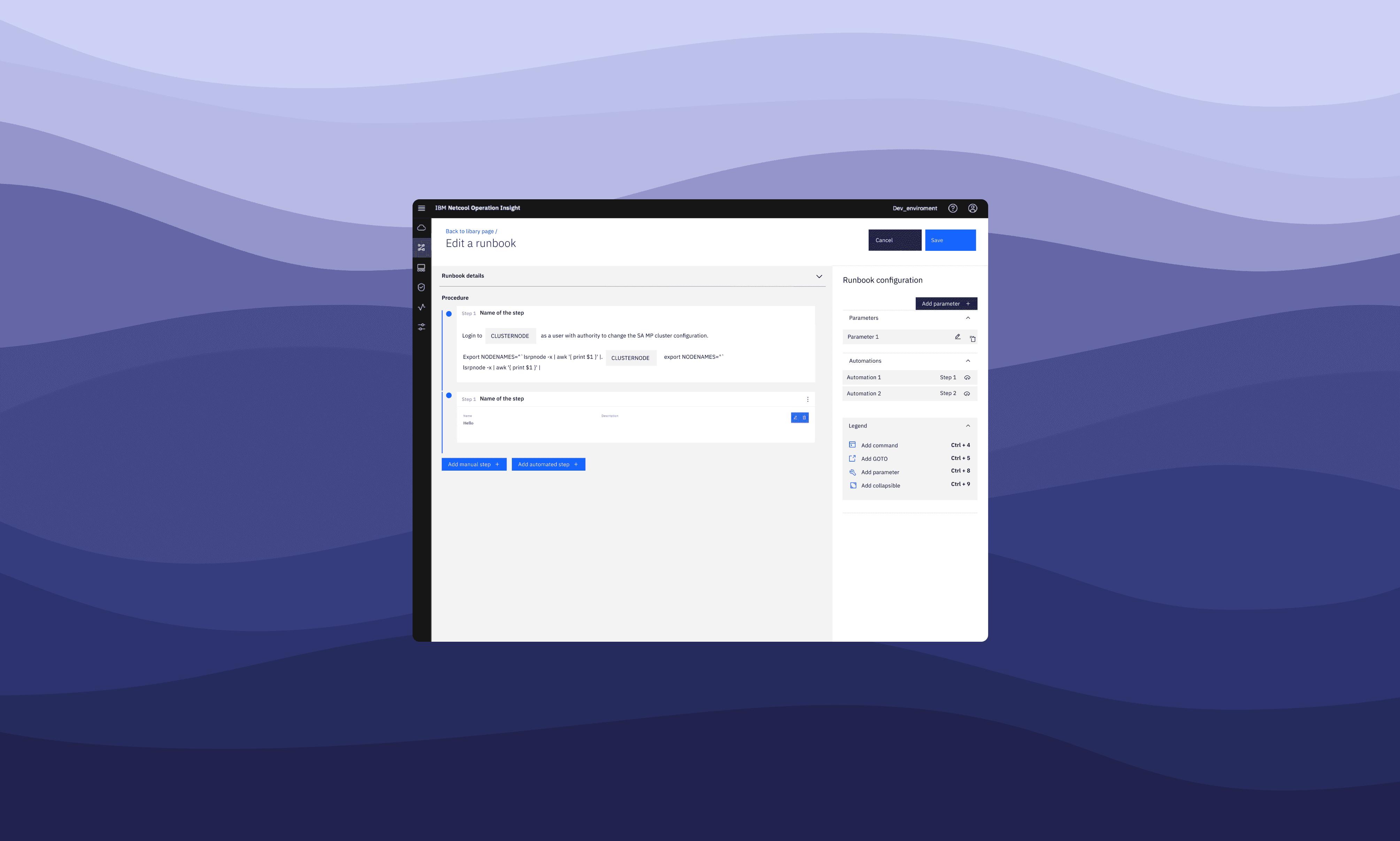
Runbook & rules creation for incident response
Teams can define step-by-step runbooks, trigger automated actions when specific alerts occur, and collaborate on creating, reviewing, and deploying those workflows — reducing manual effort, inconsistency, and time to resolution.

Processes
User testing & iterations
User testing provided critical insights into how people interact with the features, highlighting pain points and areas for improvement. This feedback enabled us to refine the design and functionality, ensuring a more intuitive and effective user experience.
We conducted multiple rounds of user testing with IT operators, engineers, and site reliability professionals.
Findings from testing:
✔️ Users needed a clearer interface to navigate complex data quickly.
✔️ The troubleshooting flow was initially too complex—we simplified it based on feedback.
✔️ Automation features needed better customization—we added configurable rules.
Final adjustments:
✔️ Streamlined the incident response workflow for faster resolutions.
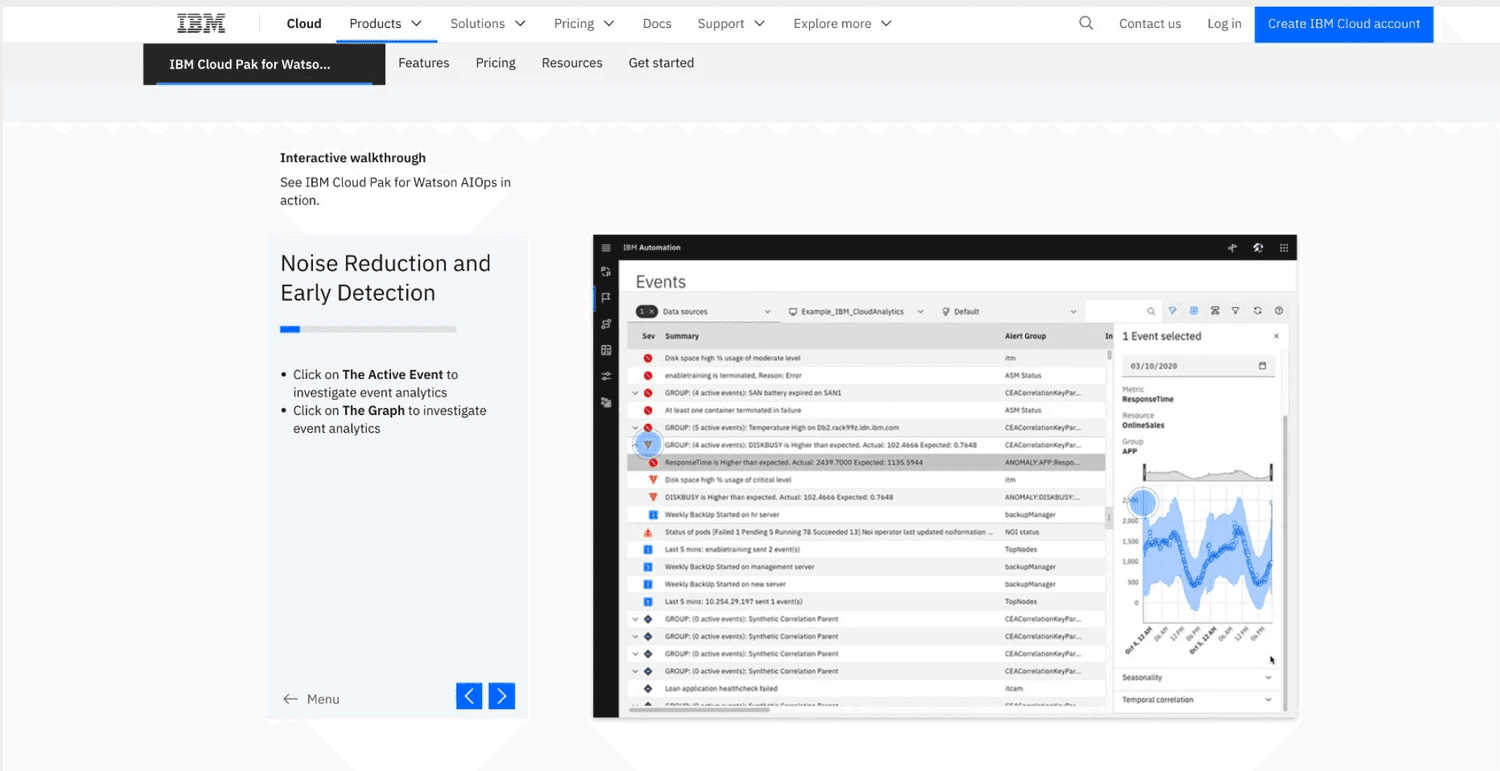
✔️ Improved dashboard UI to enhance data visibility.
✔️ Moving from Angular to React to migrate to the new Carbon 10.
Carbon adoption:
The adoption of the Carbon design system guild within my portfolio contributed to consistency and efficiency in design processes, ultimately enhancing the overall user experience.
Outcome
We successfully onboarded customers to the new UI, resulting in an increase in usage. The implementation of new features led to a 25% reduction in the mean time to resolution (MTTR), highlighting the effectiveness of our enhancements in detection and resolution processes.
Next project